01
Make the club
Give it a name, a mark (an emoji or its initials on its own colour) and an address like passboards.com/c/eastside-runners. Make it public, so runners can find it in search, or invite-only.
 Passboards.
Run club app
The route lives in your running app. Everything else, the Thursday meet-up, the new faces, the photo at the finish, the coffee after, ends up spread across a group chat, an Instagram account and whoever remembered to take pictures. Passboards gives the club one place for all of it.
Free for iPhone on iOS 26 or later. No ads today.
How it works
A club is your group’s ongoing home. Each run, race or social can have its own event and its own board of photos.
01
Give it a name, a mark (an emoji or its initials on its own colour) and an address like passboards.com/c/eastside-runners. Make it public, so runners can find it in search, or invite-only.
02
Create an event for each run with the time and meeting point, and members RSVP. Post announcements for route changes, weather calls and race sign-ups.
03
Make a board for a race, a season or a trip, and everyone adds what they took, up to 15 photos or videos per post. Members can also tag a club on their own posts so they show up in the club’s Tagged feed.
Inside the app
Real screens from the app. The example is a ski club; a run club works exactly the same way.
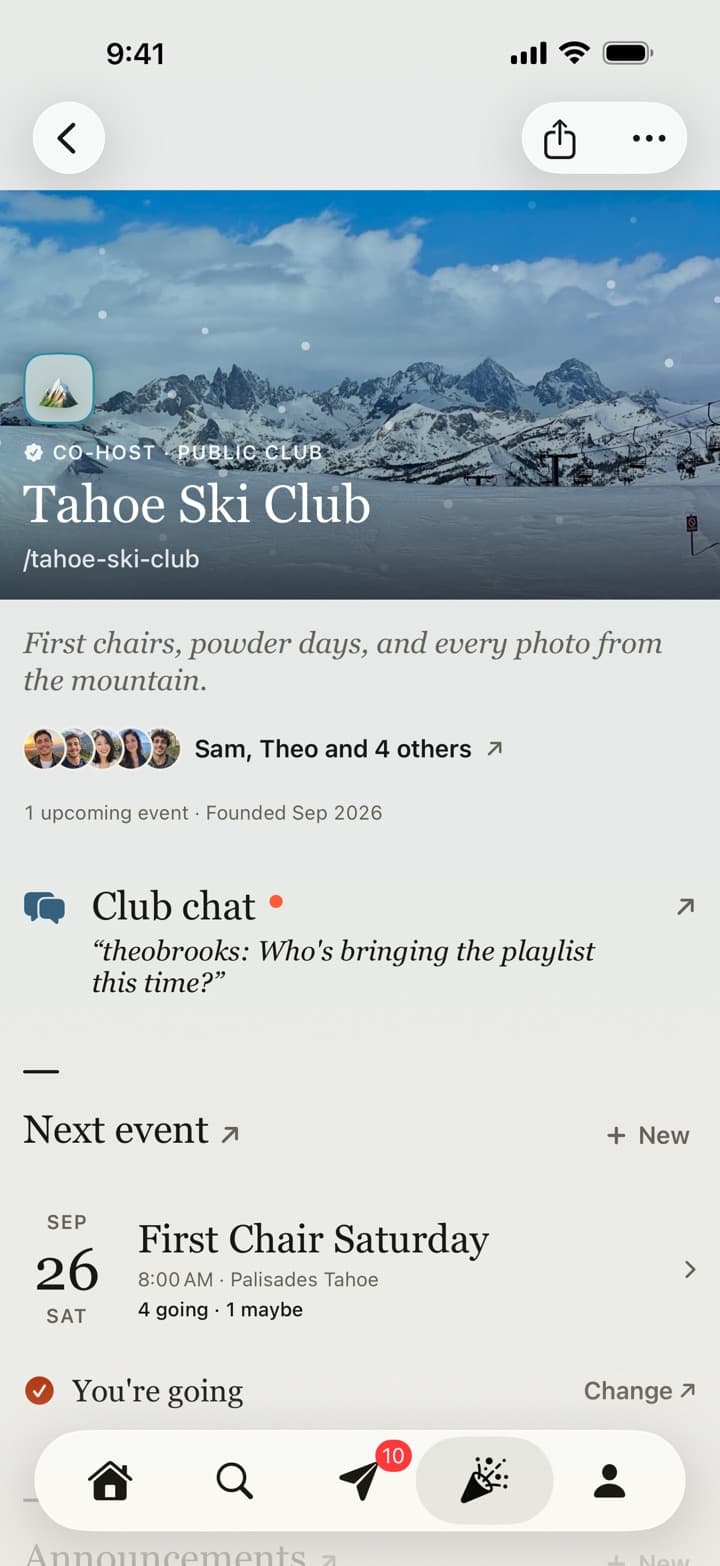
The club
The club’s cover, its mark, who’s in it and what’s coming up, with who’s going to the next event.
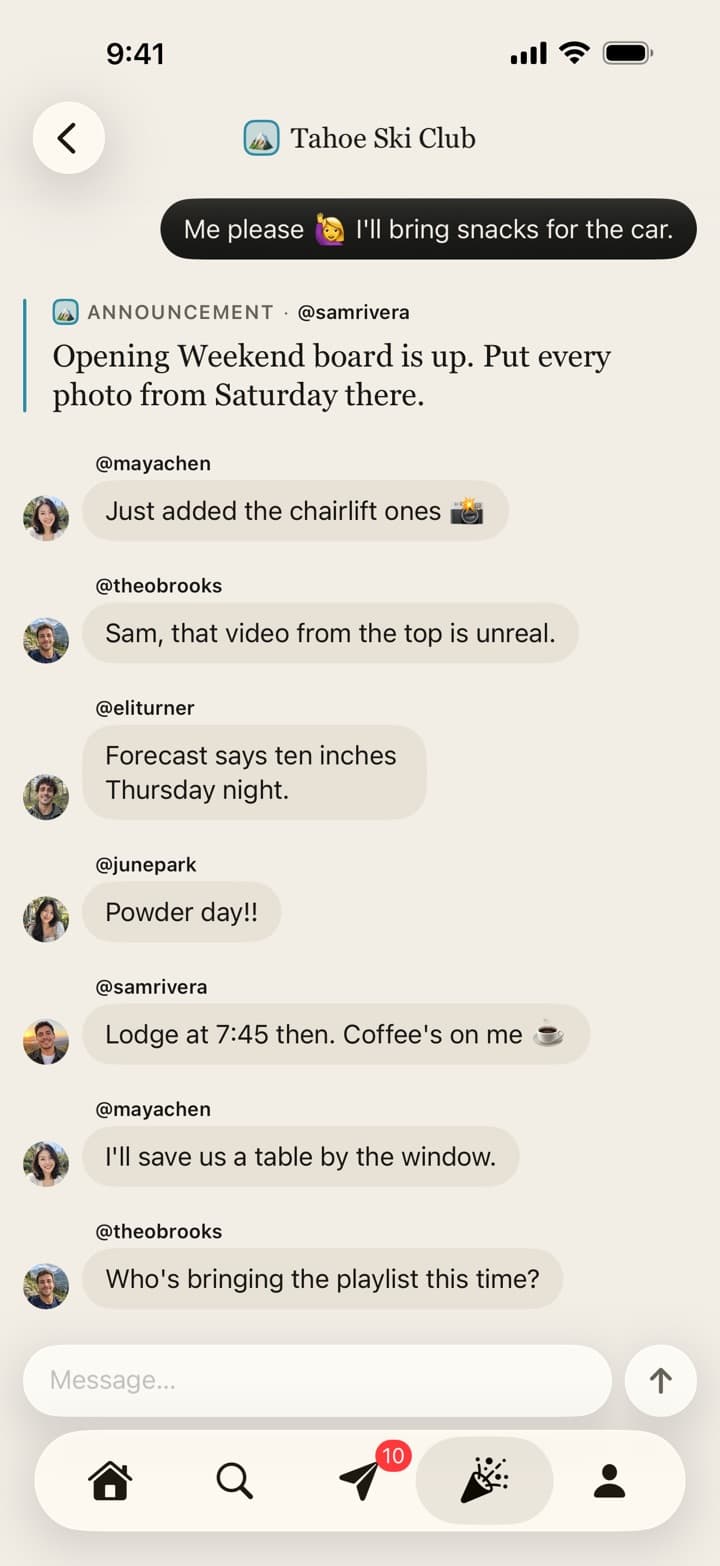
The chat
Every club has a group chat, so the plans don’t get lost in everyone’s personal threads.
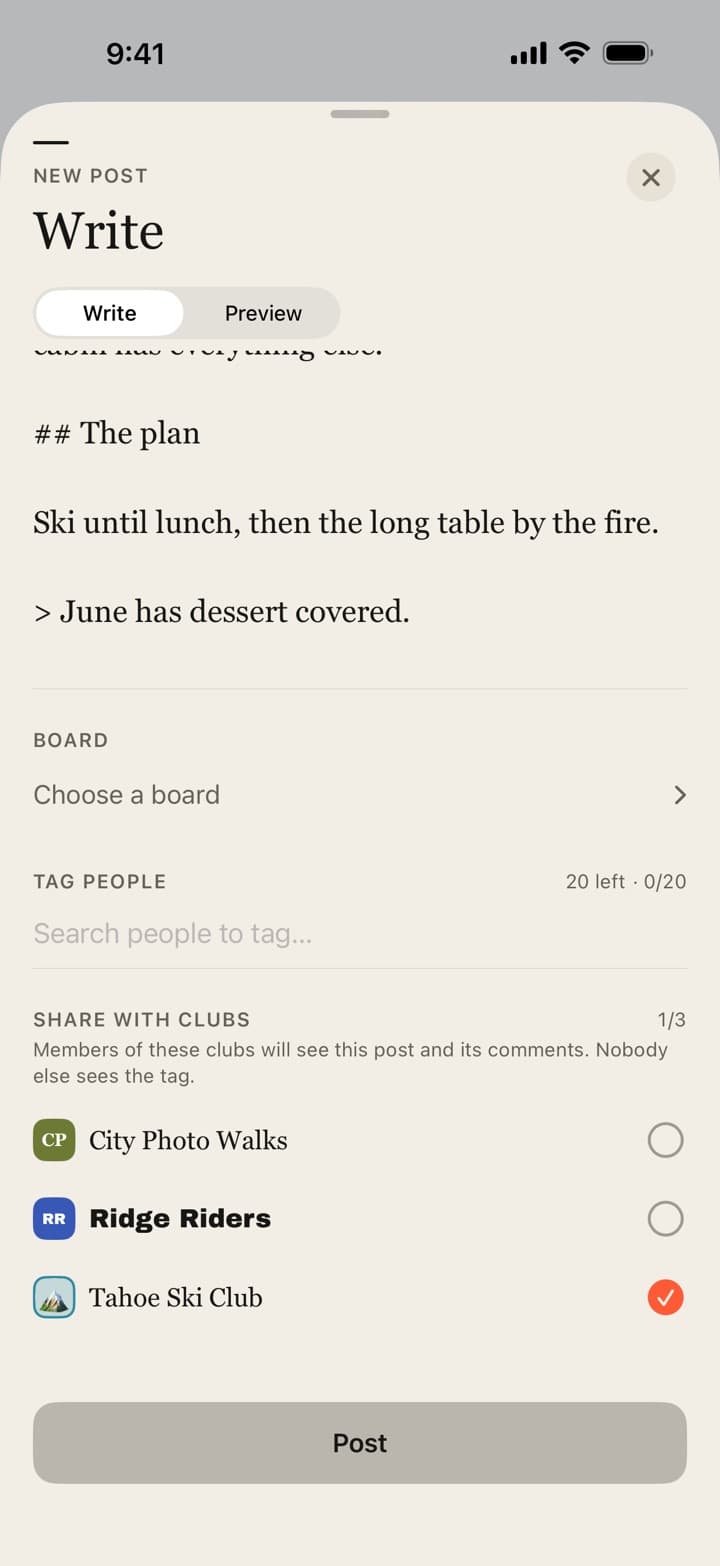
Tagged
Tag the club on a post and members see it in the club’s Tagged feed, while the rest of your board stays private.
The details
Passboards isn’t a running tracker. Keep your GPS, pace and routes where you already log them. It’s where the club itself lives.
passboards.com/c/
Every club gets a memorable address. Put it on your Instagram bio, a flyer in the shop, or the sign at the start.
Announcements
Post “moved to 7 because of the heat” once, where everyone looks.
Boards
A board for the half marathon holds the start line, the cheer squad’s videos and every finish photo. Make a short recap video of it with an original soundtrack.
Invite links
Print a board’s QR code, or share its link. New runners sign up and land straight on the board, adding their photos as Contributors.
Size
A club holds up to 100 members. Bigger clubs can split into pace groups or neighbourhoods, each with its own club.
Free
Clubs, boards, chat and events are free for everyone, with no ads today.
Starting a run club
Useful whatever app your club ends up using.
Schedule
Same day, same time, same place, every week. “Thursdays at 6:30 from the park gates” is a club; “whenever people are free” isn’t. Consistency matters more than the route.
Pace
Say it in every post: nobody gets left behind. Have a back-marker, loop back for the slowest group, or run out-and-back so everyone finishes together. Beginners come back when they aren’t last alone.
Distance
A short and a long loop from the same start means new runners and marathon trainers can share one club.
After
A café, a bakery or a bar after the run is often why people stay. The social part is the club.
Safety
Share the route in advance, wear something visible after dark, carry a phone, and have one person who knows basic first aid. Ask about any medical conditions privately, not in the group chat.
Trust and safetyPartners
Running shops, cafés and breweries often host or support run clubs. It gives you a start point, a bathroom and somewhere to go after.
Photos
One group photo at the start or finish every week. After a year, it’s the club’s history.
Welcome
Learn names, introduce new faces to one regular, and message them after their first run. That’s what turns a visitor into a member.
Common questions
01
No. It doesn’t record GPS, pace or distance. Keep using your running app for that; Passboards is the club’s home for chat, events, announcements and photos.
02
Yes, to sign up: accounts are made in the Passboards iPhone app (iOS 26 or later), for people 18 and over, and there is no Android version. Members with an account can also open the club on the web at passboards.com/app. If many of your runners use Android, a cross-platform group chat or your running app’s club features may suit you better.
03
Up to 100. Larger clubs can run several clubs, for example by pace group.
04
A public club can be found in search in the app. An invite-only club is reached only through an invite, so share its passboards.com/c/ address or invite people directly.
05
Yes. A private club and its boards are seen only by members. Location and device details are removed from the files before they upload.
06
No. Passboards is free on the App Store, with no ads today.