01
Make the board
Name it for the mountain and the weekend, and keep it private so only the people on it can see it. Pick Skiing under “What are you gathering for?” and it comes dated, with an invite message ready.
 Passboards.
Ski trip photo album
Somebody got the chairlift selfie. Somebody else filmed the fall on the last run. Somebody took one perfect photo of the valley and never sent it. Passboards gives the trip one board, and everyone adds what they caught: first chair, the powder, the lodge, the drive home in the dark.
Free for iPhone on iOS 26 or later. No ads today.
How it works
A board is the trip’s one shared place. Start it before you leave, bring in everyone who’s coming, and post between runs or once the boots are off.
01
Name it for the mountain and the weekend, and keep it private so only the people on it can see it. Pick Skiing under “What are you gathering for?” and it comes dated, with an invite message ready.
02
Drop the invite link in the group chat, or show the QR code at the cabin. Friends who don’t have the app yet sign up and land on the board. They join as Contributors: they add photos, you manage the board. Up to 100 members.
03
Each post holds up to 15 photos or videos, up to 3 minutes a clip, with a caption and the friends in it. Uploads keep going in your pocket, even with the phone locked.
Inside the app
Real screens from the app, showing a Tahoe ski weekend the way a group would share it.
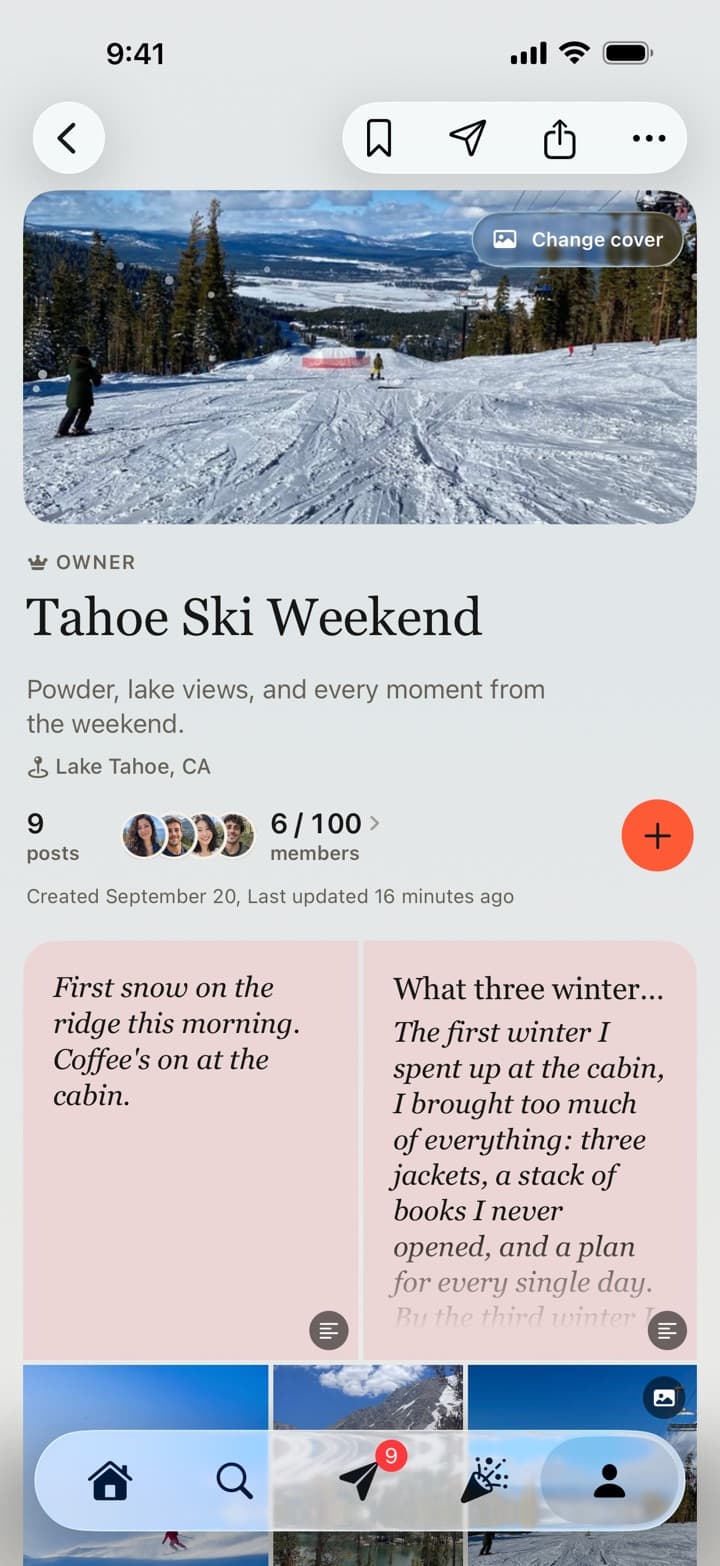
The board
Six members, one cover, and everything they posted: the runs, the notes, the lodge. Pick a favorite photo as the cover and the board takes on its colors.
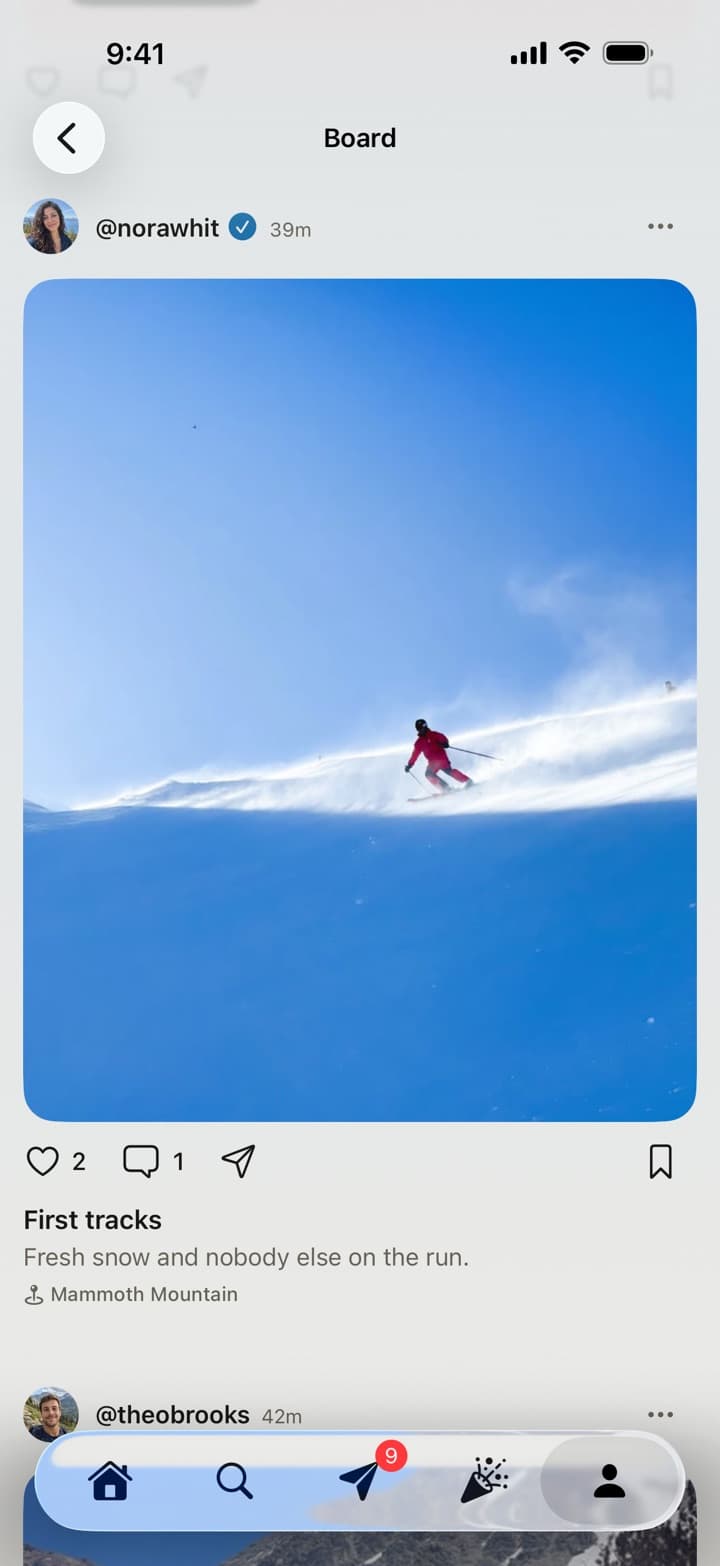
The posts
Each post keeps who shared it and the caption. Tap any photo or video to open it full screen and swipe through the whole trip.
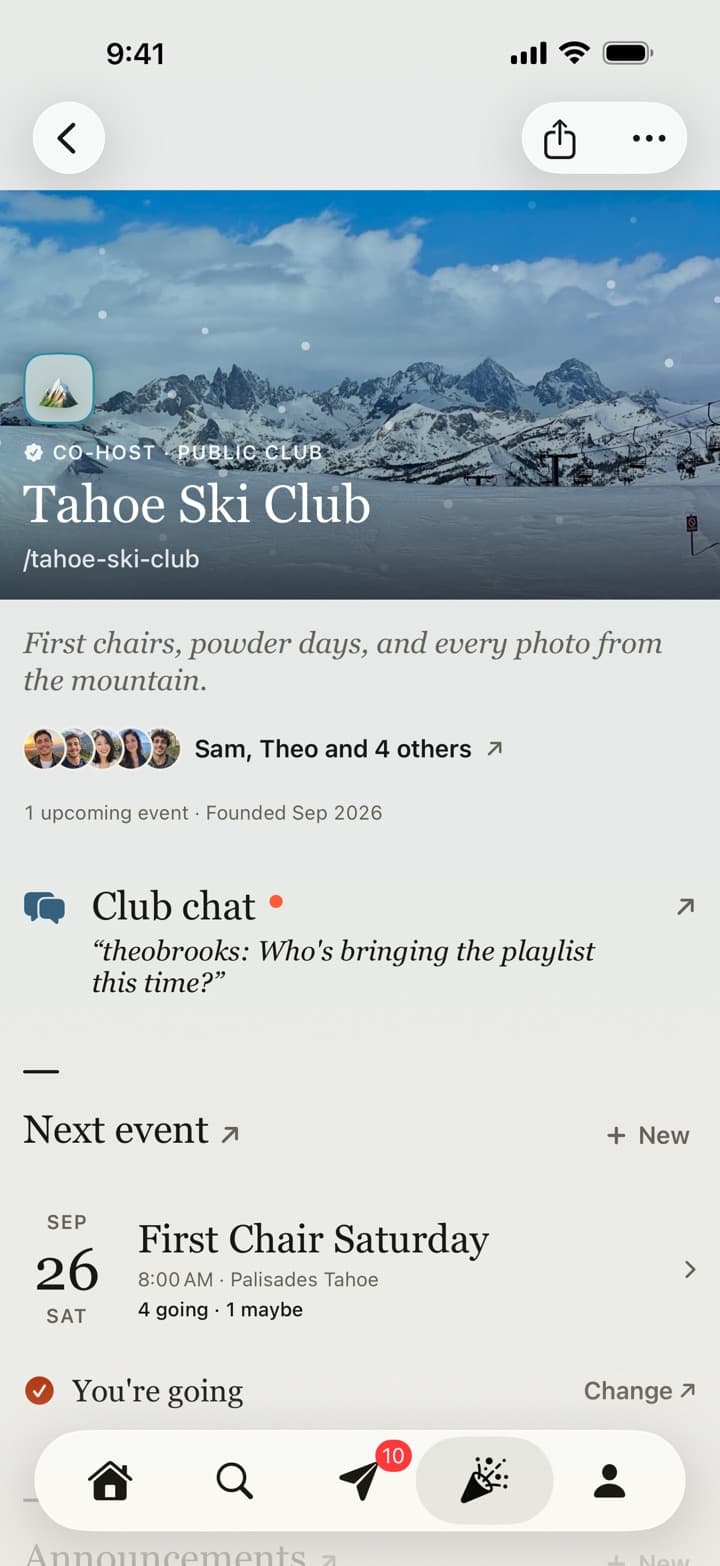
The club
A Tahoe Ski Club with its own chat, events with RSVPs, announcements, and a board for every trip.
The details
Ski trips are fast, spread out and shot on every phone. A few things make the album easier to fill.
Video
Tap any clip to watch it full screen with its own scrubber and sound. Swipe down to land where you were.
Background uploads
Photos and videos keep uploading when you lock your phone or switch apps, with progress on your Lock Screen.
More than photos
Post the trip’s song from Apple Music or Spotify, a quick note, or the whole write-up of the day someone lost a ski.
Clubs
Ski and snowboard clubs get a home with a group chat, events with RSVPs, announcements, their own mark and a passboards.com/c/ address. Up to 100 members.
Gentle reminders
Give the board its dates and everyone gets a heads-up when it starts, a last call after it ends, and a note when the album is complete. Never during quiet hours.
Free
Boards, clubs, messages and every member are free, and there are no ads today.
Filming tips
Useful whatever app the photos end up in.
Battery
Lithium-ion batteries drain fast in the cold. Apple says iOS devices work best between 0° and 35° C (32° to 95° F), and cold temporarily reduces battery life. Keep it in an inside pocket and bring a power bank.
Apple on batteriesThe lift
Phones dropped from chairlifts are rarely seen again.
The run
A friend skiing ahead, filmed from behind at a steady distance, beats a panorama every time. Use Action mode or the 0.5× lens to smooth out bumps.
Length
Ten to twenty seconds per run is what you’ll rewatch.
Off the mountain
The boot room, the lodge, the hot tub, the drive. That’s half the trip.
Exposure
Tap on a face and drag exposure up slightly so people aren’t silhouettes against bright snow.
Common questions
01
Yes, to sign up: accounts are made in the Passboards iPhone app (iOS 26 or later), for people 18 and over, and there is no Android version. Once someone has an account they can also sign in at passboards.com/app to open the board and add photos from a computer. Videos are added from the iPhone app.
02
Share the board’s invite link in your group chat, or show its QR code. People join as Contributors, who can add photos without managing the board, and you can set the link to expire or turn it off any time.
03
Yes. Make a club for the group: it gets a chat, events with RSVPs, announcements and its own passboards.com/c/ address. Make a board for each trip inside the club.
04
Only if you say so. Location and device details are removed from the files before they upload, and a place appears only when someone adds one.
05
Up to 100 members and 250 posts, each with up to 15 photos or videos. Videos can run up to 3 minutes a clip and are kept at 720p.
06
Yes. Save the whole board to Photos, or export it with every caption, date and name. Export is free.
07
No. Passboards is free on the App Store, with no ads today. Boards, clubs, messages and every member are free.