01
Make the board
Name it for the trip, add where you are headed, and choose public or private. A private board is seen only by the people on it.
 Passboards.
Group trip album
Four friends, four camera rolls, and a group chat where the best photos scroll away by Tuesday. Passboards gives the trip one board, and everyone who was there adds what they caught: the arrival, the detour, the dinner, the view nobody else turned around for.
Free for iPhone on iOS 26 or later. No ads today.
How it works
A board is the trip’s one shared place. Start it before you leave, bring in everyone who is coming, and post as it happens or once you are home.
01
Name it for the trip, add where you are headed, and choose public or private. A private board is seen only by the people on it.
02
Invite people from inside the app: anyone you follow who follows you back. On a private board, give each person Admin to add photos and invite others, or View to look, like, and comment. Up to 100 members.
03
Each post holds up to 15 photos or videos, with a title, a caption, a place, and the friends who were there. Videos can run up to 3 minutes a clip, and the photo editor is non-destructive.
Inside the app
Real screens from the app, showing a ski weekend at Tahoe the way a group would share it.
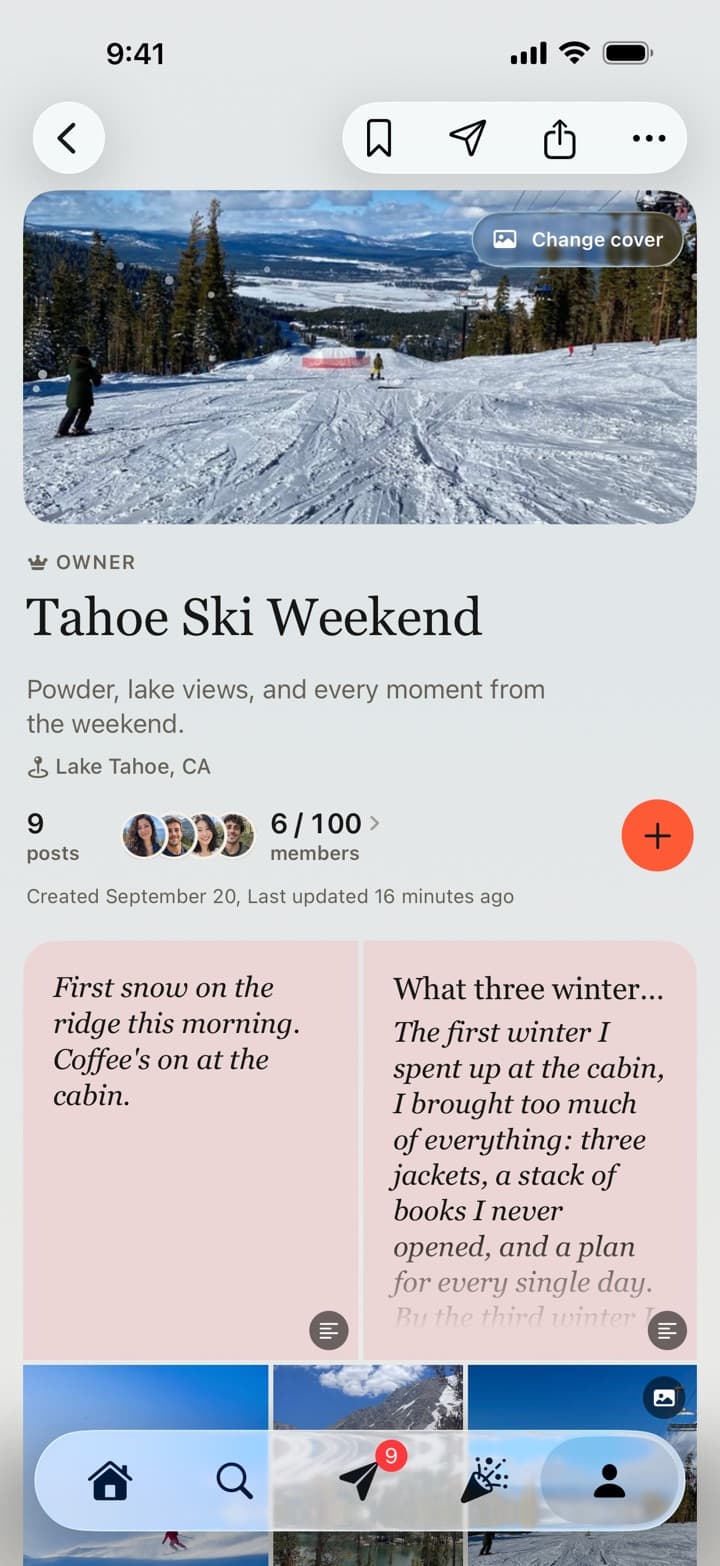
The board
Six members, one cover, and everything they posted, attached to the trip it belongs to. Pick a favorite photo as the cover and the board takes on its colors.
Notes and essays, like the two at the top of this board, are posted with Write.
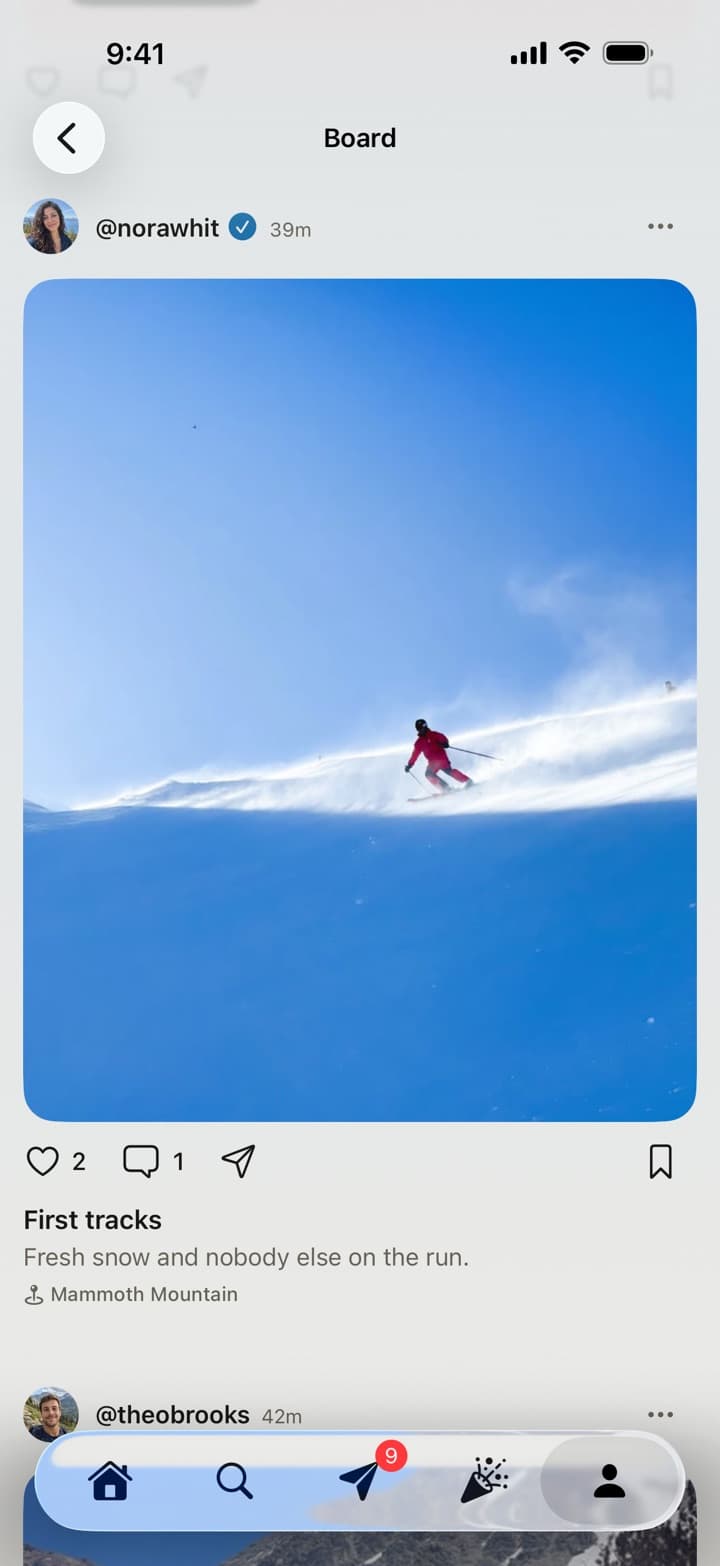
The posts
Each post keeps who shared it, the caption, and the place if they added one. Tap any photo or video to open it full screen and swipe through the whole trip.
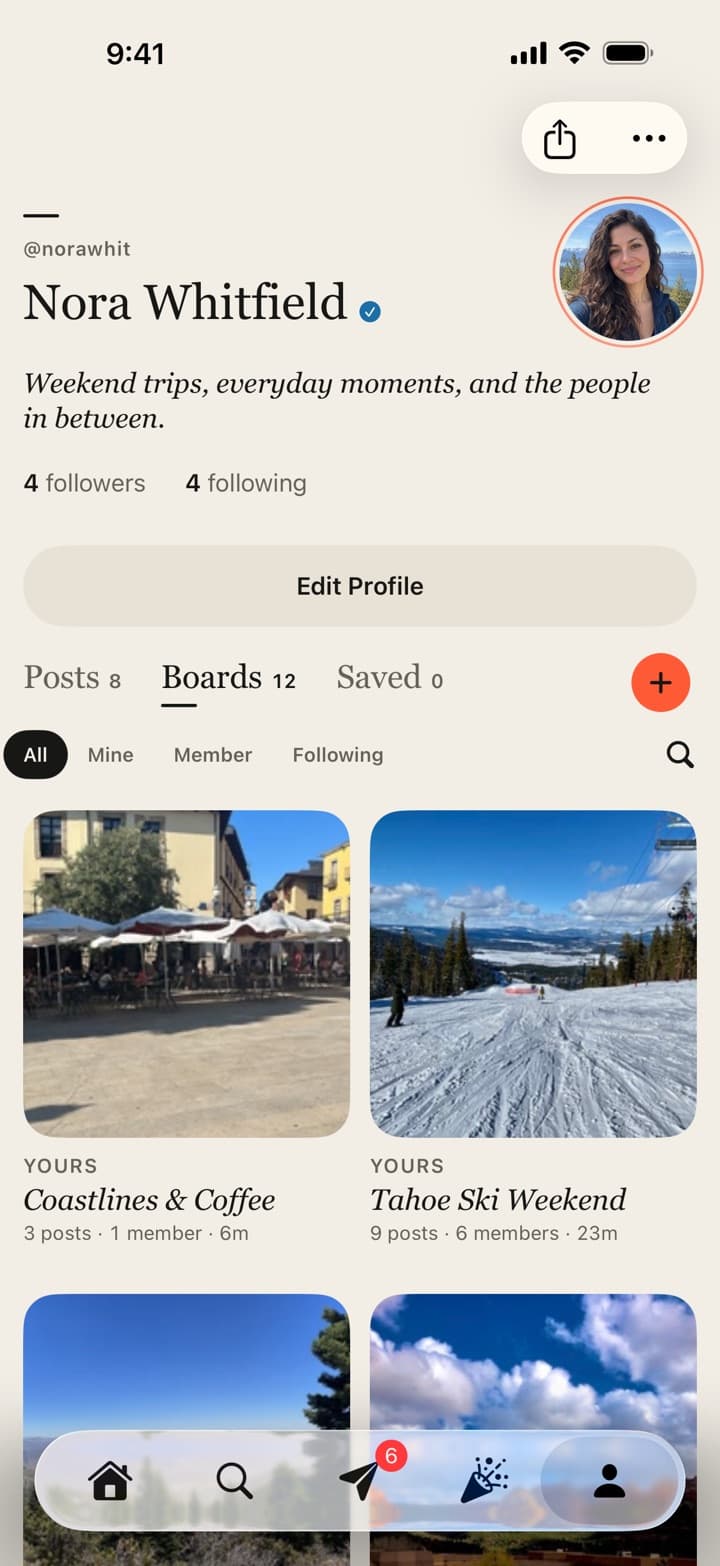
Every trip after
Every board you own, join, or follow sits on your profile, searchable, so last winter is as easy to find as last weekend.
The details
Trips are messy, spread out, and shot on everybody’s phone. The details are there so the album can be too.
Full screen
Tap any photo or video to open it full screen, swipe through the whole collection, and swipe down to land where you were. Videos get their own scrubber, time, and sound.
Home
Posts from the same moment arrive together in Home as a collection of up to 20. Like the whole set at once with Like all, or open the board to see the whole trip.
Location
Location and device details are removed from the files before they upload, and nobody sees where a photo was taken. Add a place to a post yourself when it is part of the story.
Messages
Send any post, board, or profile into a one-to-one conversation or a club chat, with reactions and read receipts you can turn off.
Clubs
Make a club for the group that keeps travelling together: chat, events with RSVPs, announcements, and a board for every trip, with up to 100 members.
Free
Boards, clubs, messages, and every member are free, and there are no ads between your photos today.
Common questions
01
Yes, to join the board and add photos. Passboards is an iPhone app for iOS 26 or later, and accounts are made in the app; there is no Android version. Once someone has an account they can also view the board on the web at passboards.com/app.
02
From inside the app. People you follow who follow you back appear in the invite list, and anyone you make an Admin can invite others too. Before you leave, have everyone follow each other so the whole group shows up when you send the invites.
03
Yes. A board has no deadline. Post while you are away, after everyone is home, or when someone finds more photos months later.
04
Only if you say so. Location and device details are removed from the files before they upload, and a place appears only when someone adds one to a post or the board.
05
Yes. Every board is public or private. People can follow a public board without following you, while a private board is seen only by its members.
06
No. Passboards is free on the App Store, with no ads today. Boards, clubs, messages, and every member are free.