01
Make a private board
Name it for the day, add the place, and keep it private. Only the people on a private board can see what is posted there. Choose a favorite photo as the cover later and the board takes on its colors.
 Passboards.
Wedding photo sharing app
Your photographer gets the portraits. Your friends get everything else: the getting-ready, the speeches from the back of the room, the dance floor at midnight. Passboards puts all of it in one private board, added by the people who were there.
Free for iPhone on iOS 26 or later. No ads today.
How it works
There is nothing to set up beyond the board itself. Make it before the day, invite the people who will be taking photos, and let them post whenever they like.
01
Name it for the day, add the place, and keep it private. Only the people on a private board can see what is posted there. Choose a favorite photo as the cover later and the board takes on its colors.
02
Invite guests from inside the app: anyone you follow who follows you back. Give each person Admin to add photos and invite others, or View to look, like, and comment. A board holds up to 100 members.
03
Each post holds up to 15 photos or videos, with a caption, a place, and the friends in it. Videos can run up to 3 minutes a clip. Post during the reception or the week after, at any pace.
Inside the app
Real screens from the app. These example boards are a ski weekend rather than a wedding, but a wedding board works exactly the same way.
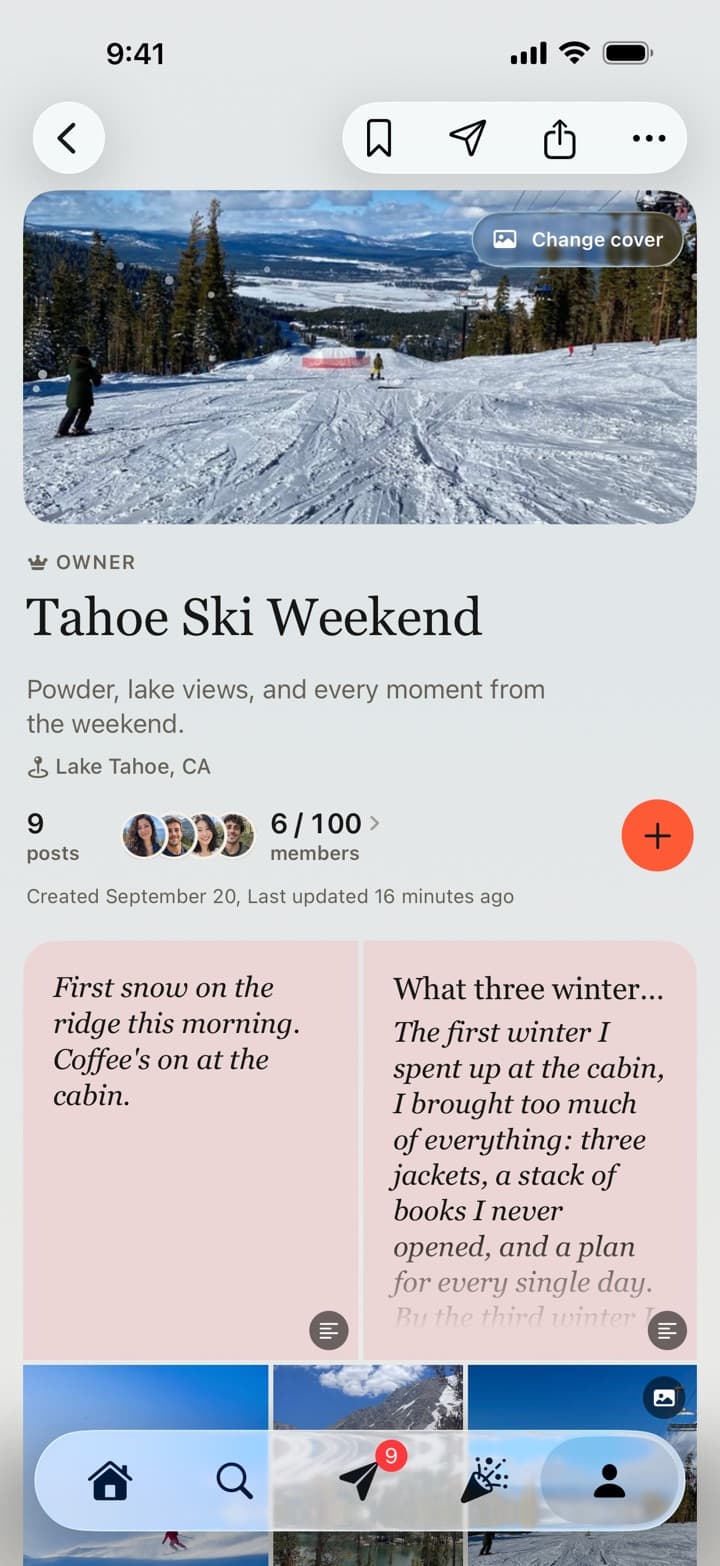
One board
The board keeps its members, its posts, and the cover you choose together. Nobody has to collect files from a dozen phones or chase links in a group chat.
Notes and essays, like the two at the top of this board, are posted with Write.
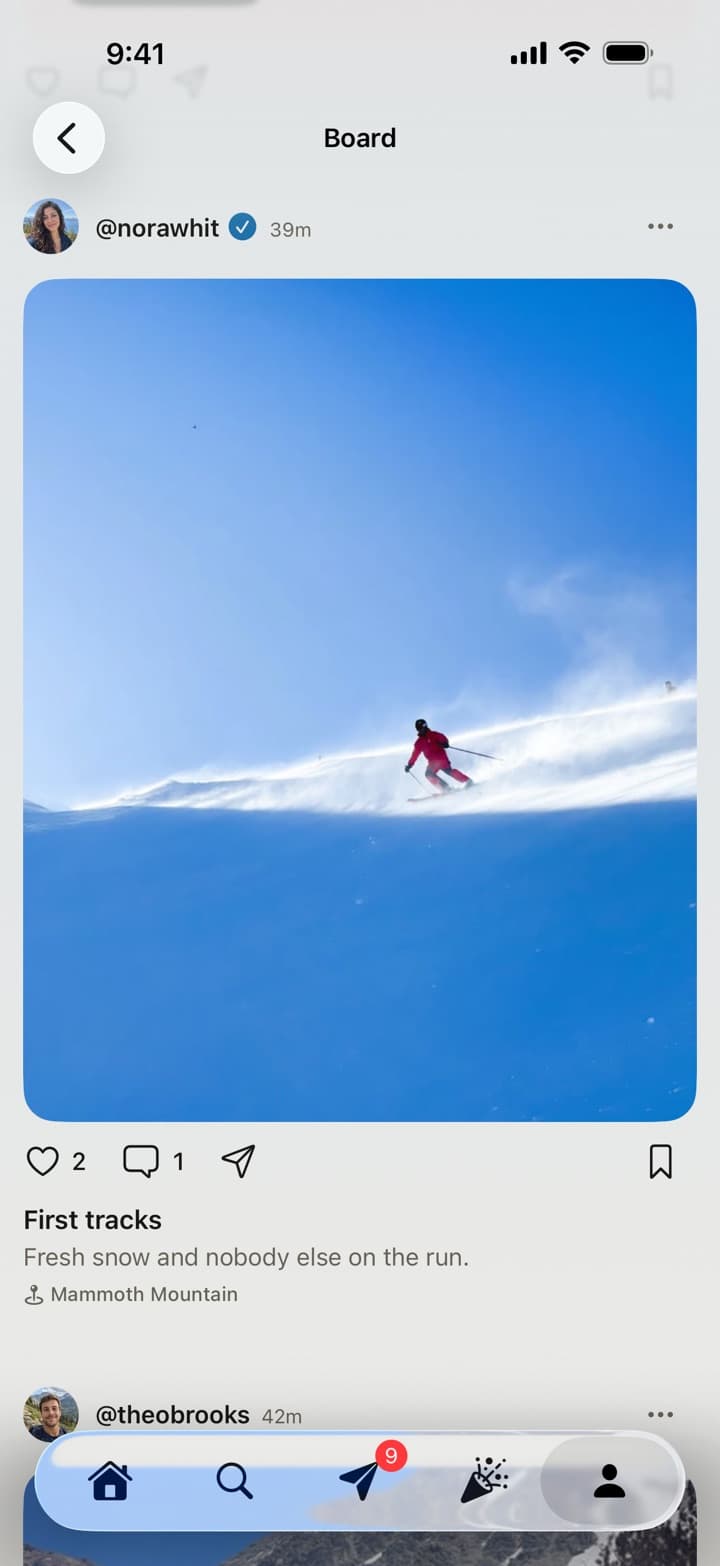
The moments within it
Every post carries the person who shared it, their caption, a place if they added one, and the likes and comments from everyone else. Tap any photo or video to open it full screen.
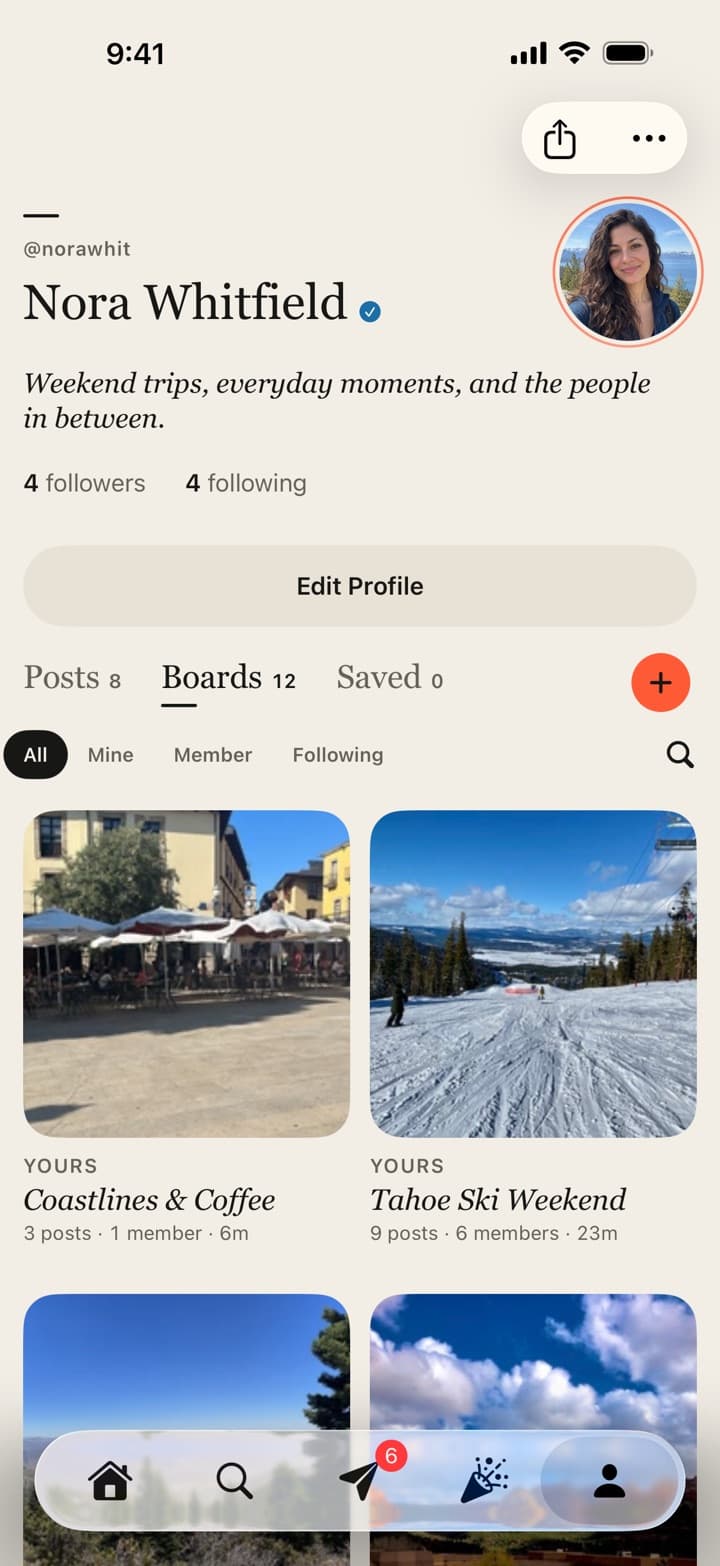
Afterwards
The board lives on your profile with every board you own, join, or follow, and you can search them. Years later the whole day is still in one place.
The details
Passboards is built for small groups sharing something real, which is what a wedding is. Here is what that means in practice.
Privacy
A private board is seen only by its members. Profiles can be private too, and anyone can block a person or report a post.
Location
Location and device details are removed from the files before they upload. Nobody sees where a photo was taken unless someone chooses to add a place.
Full screen
Tap any photo or video to open it full screen, swipe through the whole collection, and swipe down to land where you were. Videos get their own scrubber, time, and sound.
Photos and video
Photos are kept sharp at full-screen size, and videos play at 720p, up to 3 minutes a clip. The built-in photo editor is non-destructive, so an edit can always be undone.
On the web
Anyone with an account can also sign in at passboards.com/app to look through the boards they belong to on a computer.
Free
Boards, clubs, messages, and every member are free, and there are no ads between your photos today.
Common questions
01
Yes, to join the board and add photos. Passboards is an iPhone app for iOS 26 or later, and accounts are made in the app; there is no Android version. Once someone has an account they can also view the board on the web at passboards.com/app. It works best for the people who will actually take photos: the wedding party, family, and close friends.
02
You invite them from inside the app. People you follow who follow you back appear in the invite list, and anyone you make an Admin can invite their own people too. A week or so before, ask the people who will be taking photos to get the app and follow you, then follow them back and send the invites.
03
On a private board, only its members. You choose who to invite and what each person can do: Admins add photos and invite others, View members look, like, and comment.
04
Up to 100 members per board, and a board holds up to 250 posts, each with up to 15 photos or videos.
05
No. Photos are kept sharp at full-screen size for looking back on phones and the web, and videos at 720p. Keep your photographer’s files and your own originals where you store them today.
06
No. Passboards is free on the App Store, with no ads today. Boards, clubs, messages, and every member are free.